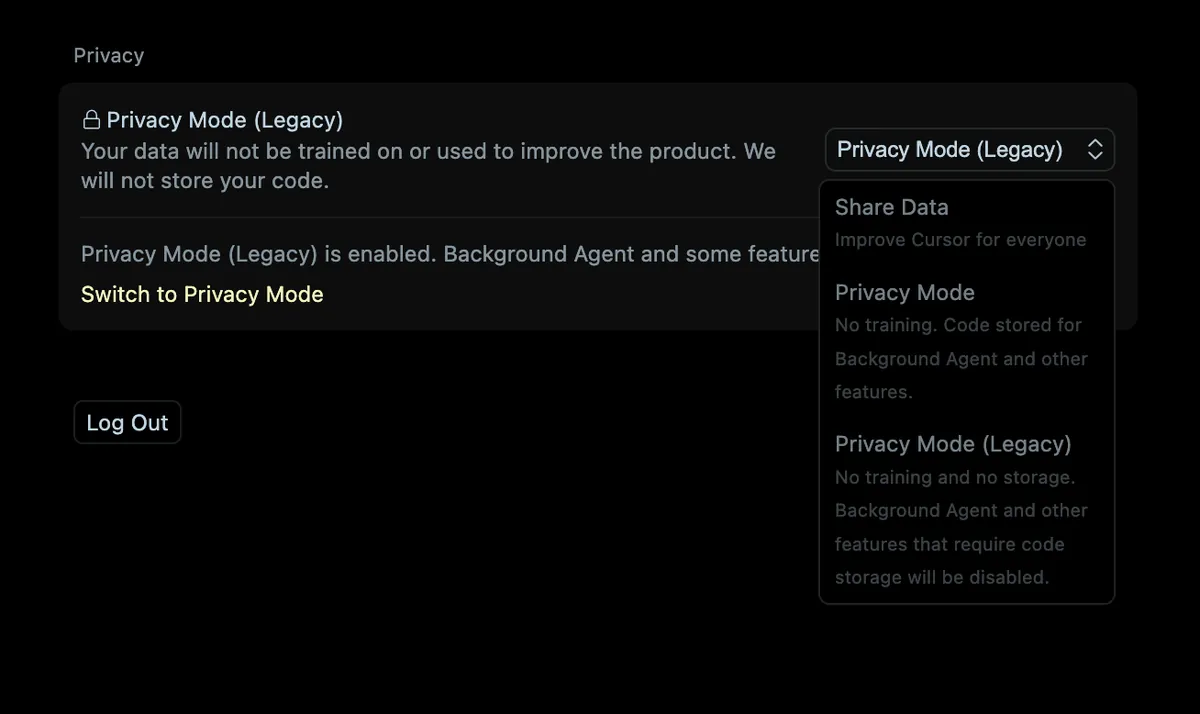
Cursor's iOS app silently switches users out of no-code-storage mode
Installing Cursor's iOS app flips accounts from Privacy Mode (Legacy) — which stores no code — to a newer mode permitting code storage for background agents, and the legacy option then vanishes from settings entirely; Cursor confirmed support cannot restore it. The mobile app's cloud-agent setup currently forces this switch, making it a live gotcha for anyone who installed Cursor specifically for its no-storage guarantee.
Source: news.ycombinator.com ↗
When you set up the mobile app, the prompt to turn on Cloud Agents switched you from Privacy Mode (Legacy) to our current Privacy Mode, without making clear what that meant or that it's hard to undo.
Cursor support
Why this matters
- → Installing iOS app irreversibly downgrades privacy settings without consent.
- → Users cannot restore original no-storage guarantee; support cannot reverse it.
- → Legacy privacy mode disappears entirely after mobile login.
Silent privacy downgrade